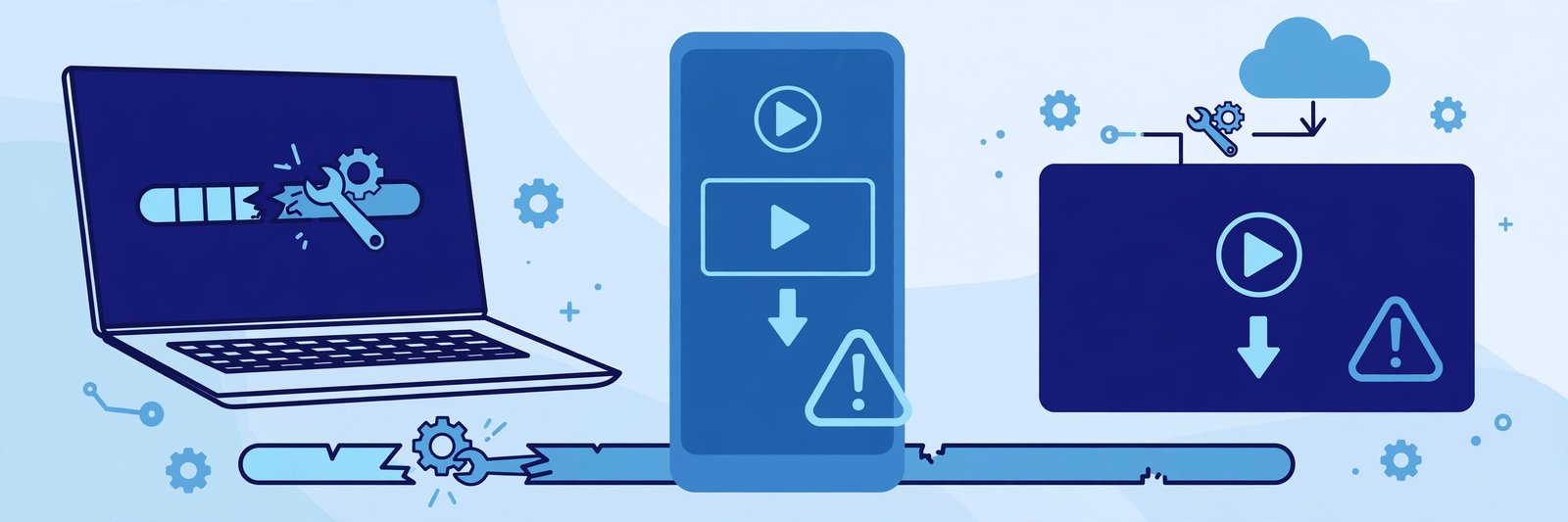
Nothing is more frustrating than tapping download on a TeraBox video and watching it stop halfway, fail instantly, or never start at all. The good news is that most download failures have a simple cause: a weak connection, a browser setting, a link that is no longer active, or a file that is too large for the device you are using. This guide explains the most common TeraBox download errors, what each one usually means, and the fixes that actually work.
If you only want to watch the video instead of saving it, paste the same link into the player at the top of this page. FilesZero is a free online TeraBox player and downloader, so you can play shared videos in your browser without installing the app. The player sits at the top of the page, right under the title, so you can test a link in seconds before trying the download again.
Why TeraBox Downloads Fail
A download is a chain: the shared file, the link itself, your internet connection, your browser, and the storage on your device. If any one of those links breaks, the download fails. That is why the same link can work on one device and fail on another, or work in the morning and fail in the evening. Work through the causes one at a time instead of retrying the same broken setup again and again. Start with the simplest checks — a stable connection, enough free storage, and a link that is still active — then move on to browser settings and file size.
Common TeraBox Download Errors and What They Mean
1. "Download Failed" or "Failed — Network Error"
This is the most common error, and it usually means the connection dropped while the file was transferring. Large videos are more likely to hit it, especially on mobile data or public Wi-Fi. If the error appears within seconds, the link itself may be blocked or unreachable. If it appears near the end of a long download, the connection probably dropped partway through. Fix it by switching to a stronger, more stable connection, pausing other downloads and streaming, and trying again. On a phone, avoid letting the screen lock or the browser close during a large download, since some phones pause background downloads to save battery.
2. The Download Starts but Stops Halfway
A download that freezes at 40% or 70% usually points to a dropped connection, a device that ran out of storage mid-download, or a browser that was closed while the file was still coming down. Check free storage first: a video that needs 800 MB will fail on a phone with only 300 MB free, even if it starts happily. Free up space, then restart the download from the beginning rather than resuming a broken partial file, which can save a corrupted copy.
3. "File Not Found" or "This Link Is No Longer Available"
This message usually means the file behind the link has been moved, renamed, or deleted by the person who shared it, or the link itself has expired. Shared links do not last forever. No browser trick brings back a deleted file. Test the link in the TeraBox player at the top of this page first — if it will not play there either, the problem is with the link, not your download setup — then ask the sender to share a fresh link.
4. The Link Opens but Nothing Downloads
Sometimes the page loads and then nothing happens: no download prompt, no progress bar. This is often a browser issue — a pop-up blocker, a download permission that was denied, or an extension getting in the way. Allow downloads for this site, check that pop-ups are not blocked, and try a different browser such as Chrome or Firefox. If you opened the link inside a chat app, open it in your main browser instead, since in-app browsers often handle downloads poorly.
5. "Download Limit Reached" or Playback Stops After a Few Videos
Free services have fair-use limits, and FilesZero is no exception. Guests can play up to 5 videos per day, and a free account raises that limit. If you have already watched several videos today, you may hit the daily limit even though your connection and the link are both fine. Wait until the limit resets, or sign up for a free account to raise it.
6. The File Downloads but Will Not Play
A file that downloads fully but refuses to open is usually incomplete or in a format your player does not support. Delete the broken copy, download again on a stable connection, and open the result with VLC or your phone's default video player. Most shared TeraBox videos are MP4, which plays almost everywhere, but MKV and some other formats need a player like VLC. If the file still will not play after a clean re-download, the source file itself may be damaged and you will need a fresh link.
Step-by-Step: Fix a Failed TeraBox Download
Work through these steps in order, and stop as soon as one fixes the problem.
Step 1: Test the link in the player
Paste the link into the player at the top of this page. If the video plays, the link is active and the problem is on the download side. If it does not play, the link is the problem.
Step 2: Check connection and storage
Switch to stable Wi-Fi, make sure you have more free storage than the file size, and close other downloads and video streams. On mobile, stay on the download page and keep the phone awake until the download finishes.
Step 3: Switch browser and clear the way
Try Chrome or Firefox, allow downloads and pop-ups for the site, and disable ad blockers or download-manager extensions for one test. Clear the browser cache if downloads have failed repeatedly in the same browser.
Step 4: Try the downloader page
Open the TeraBox downloader, paste the link there, and follow the on-screen steps. Supported qualities go up to 1080p depending on the source file, so pick a smaller quality if a full HD download keeps failing on a slow connection.
Step 5: Shrink the problem
If a huge file keeps failing, try a lower quality version if one is offered, or download on a PC or laptop instead of a phone. Desktop browsers handle large downloads more reliably, and you can move the finished file to your phone afterwards.
Link Types That Can Cause Trouble
TeraBox links come from several mirror domains, including terabox.com, 1024terabox.com, mirrobox.com, nephobox.com, freeterabox.com, 1024tera.com, momerybox.com, teraboxapp.com, tibox.com, teraboxlink.com and other terabox.* mirrors. All of these should work in the FilesZero player and downloader, but a link copied with missing characters, extra spaces, or a wrong password will fail. Always copy the full link exactly as shared, including any password the sender gave you, and paste it rather than typing it by hand. Watch for lookalike characters such as a zero and the letter O in passwords.
When the Problem Is Not on Your Side
Some failures are genuinely out of your control: the file may have been removed, or the sharing service may be having a temporary outage. If the same link fails on two different devices, two different networks, and two different browsers, it is almost certainly the link or the source file. In that case the fastest fix is a fresh link from the sender. Also be patient with very large files — what looks like a failure may just be a slow start, so give it a minute before cancelling, and avoid tapping download twice.
Frequently Asked Questions
Why does my TeraBox download keep failing on mobile data?
Mobile data connections drop more often than Wi-Fi, and phones may pause downloads when the screen locks. Switch to stable Wi-Fi, keep the browser open, and make sure you have enough free storage for the full file.
Why does the download fail even though the video plays fine?
Playing and downloading use the connection differently: a video can stream in small chunks while a download needs one steady transfer. Try a different browser, allow downloads for the site, and test the downloader page directly.
What does "link expired" mean?
It means the shared file is no longer available at that link — it may have been deleted, moved, or the sharing period may have ended. Only the sender can fix this by sharing a new link.
Can I download a TeraBox video in lower quality to avoid failures?
Yes. Supported qualities go up to 1080p depending on the source file, and choosing a smaller quality makes the file smaller and the download more likely to complete on a slow connection.
Is it safe to retry a failed download many times?
Retrying is safe, but fix the cause first — connection, storage, or browser settings — rather than repeating the same broken setup. If you hit a daily playback limit, wait for it to reset or use a free account for a higher limit.
Final Thoughts
Most TeraBox download failures come down to a handful of causes: a dropped connection, not enough storage, a browser setting, a daily limit, or a link that is no longer active. Test the link in the player at the top of this page first, then work through connection, storage, and browser checks before assuming the file is gone. With the right link and a stable setup, most failed downloads succeed on the next clean attempt — and if the link itself is dead, a fresh share from the sender is the only fix that works.