If you have ever received a TeraBox link on your phone and wished you could watch it on the big screen instead, your Amazon Fire TV Stick can help. There is no need to hunt for a separate app or move files around with a USB drive. With the Silk browser that already comes on most Fire TV devices, you can open a shared TeraBox link in FilesZero's TeraBox player and watch it straight on your television.
This guide walks you through the whole process step by step. It also covers the small settings that make playback smoother on a TV, and what to do when a video refuses to load. The player sits at the top of the page, so once you open the link, you are only a paste away from watching.
What You Need Before You Start
You do not need any special hardware for this. A Fire TV Stick connected to your television, a stable Wi-Fi connection, and the TeraBox link you want to watch are enough. If the link is on your phone, keep the phone nearby so you can copy it, or send it to yourself in a way you can open on the TV, such as an email you can open in the browser.
It also helps to know which Fire TV model you have. The steps below work on Fire TV Stick, Fire TV Stick 4K, and Fire TV Cube, because they all ship with the Silk browser. If Silk is not on your device, you can install it free from the Amazon Appstore in a minute.
- An Amazon Fire TV Stick, Fire TV Stick 4K, or Fire TV Cube connected to your TV
- A working Wi-Fi connection — a 5 GHz network usually gives smoother playback
- The TeraBox share link you want to play
- The Silk browser, already installed or downloaded from the Appstore
- Your Fire TV remote, including the on-screen keyboard for pasting links
Method: Play TeraBox Videos on Firestick With the Silk Browser
The simplest reliable route is the browser. Instead of installing an unofficial app from outside the Appstore, which can be risky and often stops working after an update, you open the web player on your TV and paste the link there. FilesZero is a free online TeraBox player, so there is nothing to install on the stick itself.
Step 1: Open the Silk Browser on Your Fire TV
From the Fire TV home screen, go to Apps and open Silk Browser. If you have never used it, it will ask you to pick a search engine and accept a short welcome screen. You can leave the default settings as they are. Silk is designed for TV screens, so pages render large and the remote's directional pad moves between links and buttons.
Step 2: Open the FilesZero TeraBox Player
In the address bar, type fileszero.com and open the TeraBox player page. The player sits at the top of the page, with a box labelled for pasting your link. You do not need to scroll down or sign in to try a video. Guests can play up to 5 videos per day, and a free account raises that limit, which is useful if your family watches shared videos often.
Step 3: Paste Your TeraBox Link
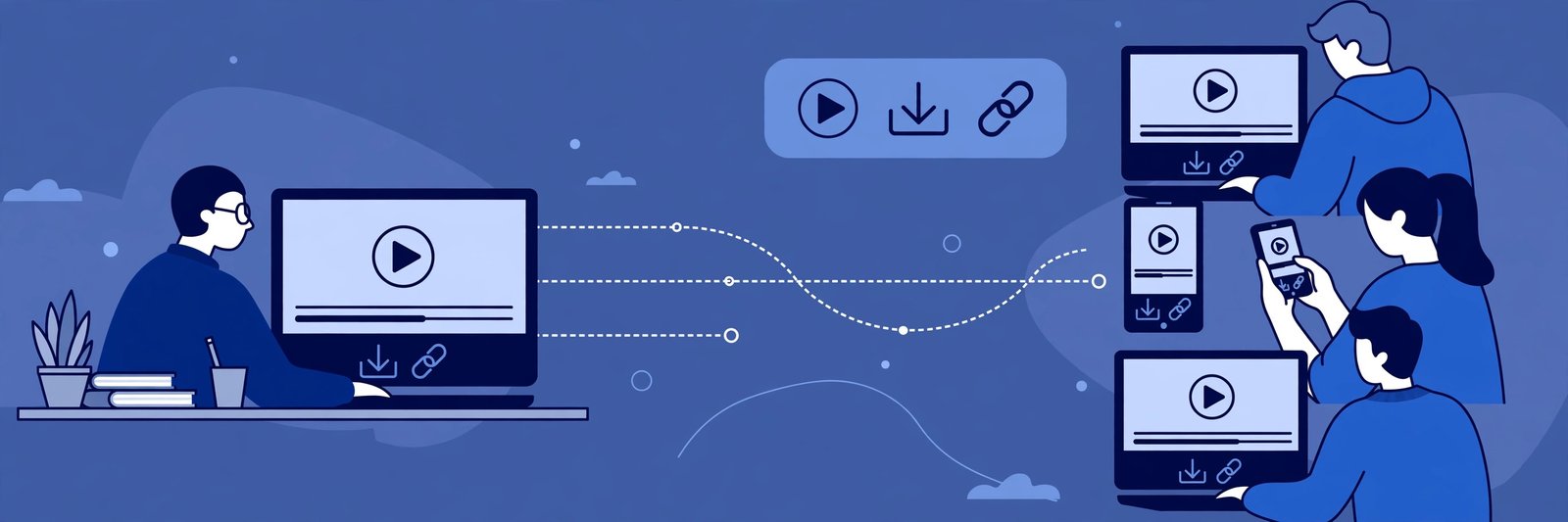
Now paste the shared TeraBox link into the player box. Typing a long link with a TV remote is slow and error-prone, so use one of these shortcuts instead. If you have the Fire TV app on your phone, you can use its keyboard to type and paste faster. You can also email the link to yourself, open that email in Silk, and copy the link from there. Once the link is in the box, select Play and wait a few seconds while the player loads the video.
Step 4: Choose Quality and Watch in Full Screen
When the video loads, use the player controls to switch to full screen. Supported qualities go up to 1080p depending on the source file, so a video shared in high definition will look sharp on a large TV, while an older low-resolution file will simply play at its original quality. If playback stutters, drop to a lower quality for that session rather than restarting the whole video. Sit back and use the remote to pause, seek, and adjust volume as normal.
Tips for Smooth Playback on a TV
TV playback feels different from phone playback, and a few small habits make a big difference. First, keep your Fire TV Stick close to your router or on a 5 GHz network if your router offers one. Shared videos stream over the internet, so a weak signal shows up as buffering long before anything else goes wrong. Second, close other apps running in the background on the stick, especially anything streaming or updating, so the player gets the full connection.
Finally, if you plan to watch several videos in one sitting, sign in to a free FilesZero account before you start, so you do not hit the guest daily limit halfway through the evening.
Can You Download TeraBox Videos on Firestick?
Playing is the natural use for a TV stick, but sometimes you may want to save a file for later. On the Firestick itself, downloading is awkward because the device has limited storage and no simple file manager for most users. The easier path is to download on your phone or computer using the TeraBox downloader, then play the saved file on your TV from a USB drive or a media app if your setup supports it. For most people, streaming the shared link directly through the web player is faster and avoids filling up the stick's storage.
Supported mirror domains work the same way on TV as they do on a phone or computer. Links from terabox.com, 1024terabox.com, mirrobox.com, nephobox.com, freeterabox.com, 1024tera.com, momerybox.com, teraboxapp.com, tibox.com, teraboxlink.com and the other terabox.* mirrors can be pasted into the player in the same way, so you do not need to worry about which mirror the sender used.
Troubleshooting: When a Video Will Not Play on Firestick
If the player shows an error or the video keeps loading, work through these checks in order. First, confirm the link itself is still active by opening it on your phone. If it fails there too, the file may have been removed or the link may have expired, and no player can bring it back. Second, reload the player page in Silk and paste the link again — a single failed load is often just a network hiccup.
Third, clear Silk's browsing data from its settings menu and try once more, since a stale cached page can block a fresh video. Fourth, restart the Fire TV Stick from Settings, which clears temporary glitches that build up over days of standby. If the video plays on your phone but not on the TV, the TV's connection is the likely cause, so move closer to the router or restart it before trying again.
Frequently Asked Questions
Is there an official TeraBox app for Firestick?
There is no official TeraBox app in the Amazon Appstore that you should rely on for this. The browser method above is the safest route: it uses the official Appstore browser and a web player, with no sideloaded app to maintain or worry about.
Do I need a TeraBox account to watch on my TV?
No. You can play shared videos as a guest through the web player, up to 5 videos per day. A free FilesZero account simply raises that daily limit, which helps if you watch shared videos regularly.
Why does the video buffer on my Firestick but not my phone?
TV sticks often sit behind the television, where the Wi-Fi signal is weaker, and a TV screen shows buffering more clearly than a phone. Try a 5 GHz network, move the router closer if you can, and drop the quality one step to see if playback steadies.
Can I play 1080p TeraBox videos on Firestick?
Yes, when the source file itself is high definition. Supported qualities go up to 1080p depending on the source file, so a 1080p shared video can play in full quality on a compatible TV, while a lower-resolution file will play at its original quality.
Is it safe to paste a TeraBox link into a web player on my TV?
Pasting a shared link into a clean web player is a normal way to watch a file someone sent you. Only open links from people you trust, and avoid any page that asks you to install extra software or enter your TeraBox password just to watch a shared video.
Final Thoughts
Watching TeraBox videos on Firestick does not need a complicated setup. Open Silk, open the FilesZero player at the top of the page, paste the link, and enjoy the video on the big screen. Keep your connection steady, use a free account if you watch often, and you will find that shared videos feel far more comfortable on a television than hunched over a phone. The next time a friend sends you a link, try it on the TV first — you may never go back to the small screen.